
Wireless Graphics Card over Wi-Fi 7: Can WiCi One Replace Thunderbolt and OCuLink eGPU?
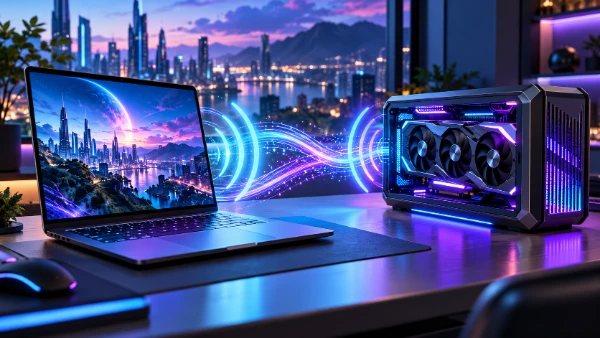
External graphics have traditionally meant accepting a cable. Thunderbolt made eGPU enclosures practical for mainstream laptops, while OCuLink offered enthusiasts a more direct PCI Express connection with less overhead. WiCi One approaches the same problem from a very different direction: instead of attaching a graphics card to one computer through a high-speed cable, it places a complete GPU-equipped computer on the local network and makes its graphics resources available over Wi-Fi 7. In 2026, that idea is no longer just a laboratory concept. WiCi lists shipping versions built around NVIDIA GeForce RTX 5060 Ti and RTX 5090 graphics, and the company claims support for gaming, local AI, video work and 3D rendering. The important question is therefore not simply whether Wi-Fi 7 is fast enough, but whether WiCi One can provide the responsiveness, compatibility and predictable performance people expect from a conventional eGPU.
How WiCi One Turns Wi-Fi 7 into a GPU Connection
WiCi One is much more than a graphics card inside a wireless enclosure. It is a self-contained computing unit with its own NVIDIA GPU, processor, storage and networking hardware. The standard RTX 5060 Ti edition combines 16 GB of GDDR7 graphics memory with an Intel Core 3 100U processor and 1 TB of NVMe storage, while the higher-end RTX 5090 model has 32 GB of GDDR7, an Intel Core Ultra 7 255H and 4 TB of NVMe storage. This matters because the host laptop is not trying to operate a bare PCIe graphics card directly over ordinary Wi-Fi. WiCi performs part of the work locally inside the box and uses its software stack to reduce the amount of traffic that must continually move across the wireless link.
The network side is based on Wi-Fi 7 with 4×4 MIMO and a 320 MHz channel. Those specifications give WiCi considerably more wireless capacity than an ordinary laptop connected to an older Wi-Fi 5 or Wi-Fi 6 router, but raw Wi-Fi speed should not be treated as equivalent to PCI Express bandwidth. Wireless links have variable latency, protocol overhead and changing radio conditions. Walls, interference and distance can all affect performance. WiCi therefore relies on its own AirLink transport and software techniques such as caching, trace replay and workload scheduling rather than attempting to transmit every GPU operation in exactly the same way as a physical PCIe cable.
The result is an unusual division of labour. The application and its interface remain on the user’s laptop or other client device, while GPU-heavy work is sent to WiCi One. The company offers three access methods. Driver mode presents the remote hardware as a virtual GPU to supported applications, SDK mode gives developers more direct control over inference and multimodal workloads, and API mode exposes an OpenAI-compatible local endpoint. That makes the device relevant to more than gaming. Applications such as Blender, Unreal Engine, Premiere Pro, Ollama, LM Studio and ComfyUI are among the workloads WiCi specifically names in its 2026 documentation.
Why WiCi One Is Different from Cloud Gaming and Remote Desktop
It would be easy to assume that WiCi One simply runs a game or creative application on another computer and streams a finished video image back to the laptop. That is not how WiCi describes Driver mode. The company says applications continue to run on the user’s own machine while the GPU-dependent parts of the workload are executed by WiCi One. In that sense, the design is closer to an eGPU than to GeForce NOW, Xbox Cloud Gaming or a conventional remote desktop session. The distinction matters because input, application logic and local files can remain on the client computer rather than being moved into a remote gaming session.
This approach also explains why WiCi emphasises local AI. Large language models, image generators and speech systems often involve workloads that can be divided differently from traditional game rendering. A model can remain loaded in memory on WiCi One while several devices send requests to it. WiCi also uses its internal SSD as part of a hierarchical memory system intended to handle models larger than the GPU’s physical VRAM. That is a very different workload from continuously transferring large graphics buffers, and it is one reason the device may be more convincing as a shared AI computer than as a universal replacement for every type of wired eGPU.
WiCi publishes performance figures measured on production hardware over Wi-Fi 7. Its RTX 5090 configuration is listed at 110 fps in Cyberpunk 2077 at 4K with the Ultra preset and DLSS 4, 90 fps in Black Myth: Wukong at 4K Cinematic settings with DLSS 4, and 6,000 samples per minute in its Blender Cycles test. The RTX 5060 Ti version is listed at 80 fps, 60 fps and 2,900 samples per minute respectively. These figures show that demanding work can operate over the wireless system, but they are vendor benchmarks rather than an independent guarantee of identical results in every home, laptop and network environment.
WiCi One vs Thunderbolt and OCuLink eGPU Connections
Thunderbolt remains the more familiar external GPU connection because it combines high-speed data, displays and peripherals through USB-C. Thunderbolt 4 provides a 40 Gbps connection, while Thunderbolt 5 raises total bidirectional capability to 80 Gbps and can use Bandwidth Boost to provide up to 120 Gbps in one direction for display-heavy workloads. Those headline figures include more than GPU traffic, so they should not be read as direct PCIe throughput figures. Even so, a wired Thunderbolt connection has an important advantage: its behaviour is comparatively stable. Moving a laptop around the room does not change the quality of the cable link.
OCuLink is more specialised. It was created by PCI-SIG as a compact external and internal PCI Express cabling system rather than a general-purpose consumer connector. Many modern handheld PCs, mini PCs and enthusiast eGPU docks use OCuLink because it can expose PCIe lanes more directly and avoid some of the additional layers involved in Thunderbolt. In typical PCIe 4.0 x4 eGPU implementations, that makes OCuLink particularly attractive when the aim is to preserve as much graphics performance as possible. Its disadvantage is convenience: relatively few mainstream notebooks include the connector, hot-plug behaviour can vary by implementation, and the cable physically ties the GPU to one host.
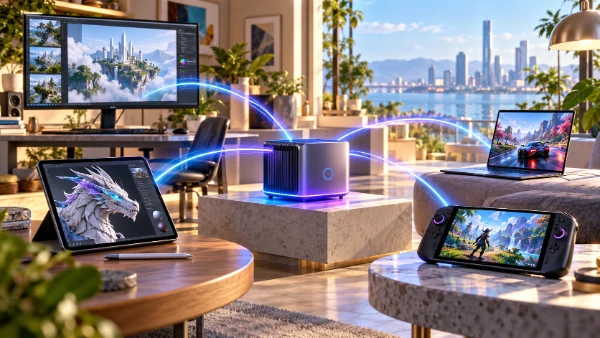
WiCi One trades some of that physical certainty for flexibility. There is no eGPU cable running across the desk, and the graphics resource does not have to belong permanently to one computer. WiCi states that several laptops, tablets and phones can reach the same unit over the local network, with supported client software available across Windows, macOS and Linux and SDK or API access for mobile devices. That changes the value proposition. Thunderbolt and OCuLink mainly answer the question, “How can I attach an external GPU to this computer?” WiCi asks, “How can several devices use one powerful GPU located somewhere nearby?”
Latency, Bandwidth and Gaming Performance Matter More than Headline Speed
Gaming is where wireless GPU computing faces its hardest test. Modern games repeatedly exchange commands, assets and synchronisation data with the GPU, and a connection that occasionally pauses for only a few milliseconds can affect frame pacing even if its average throughput looks excellent. A cable has a natural advantage because conditions do not change as somebody walks between two devices, a neighbouring access point changes channel or the client moves into another room. Wi-Fi 7 improves latency and spectrum use substantially, but it does not remove the basic characteristics of radio communication.
WiCi attempts to reduce this disadvantage by avoiding unnecessary network trips. Its protocol includes caching and replay mechanisms intended to keep frequently required information close to the GPU and reduce repeated communication with the host. The company says this can reduce network waiting substantially compared with a straightforward remote GPU implementation. This is a sensible approach because simply trying to reproduce a full PCIe connection packet by packet over standard Wi-Fi would be inefficient. The software must understand enough about the workload to minimise traffic, especially when a game or professional application needs frequent responses.
For that reason, comparing WiCi One, Thunderbolt and OCuLink only by gigabits per second gives an incomplete picture. OCuLink generally offers the most direct path for a conventional external graphics card. Thunderbolt provides a mature, broadly supported wired connection with docks, storage and displays sharing the same interface. WiCi offers freedom from the host cable and the possibility of sharing GPU power between devices, but its real performance depends more heavily on software support and local radio conditions. A user interested only in obtaining the highest and most repeatable frame rate from one gaming laptop may therefore prefer a wired solution, while a household or studio with several lightweight devices may value WiCi’s different strengths.
Can WiCi One Actually Replace a Conventional eGPU in 2026?
For some users, it can replace one, but the answer depends on what “replace” means. If the requirement is to connect a desktop graphics card to a single notebook with the lowest practical latency, OCuLink remains difficult to beat. If the requirement is a widely recognised cable standard that also handles monitors, storage and other peripherals, Thunderbolt remains more versatile. WiCi One does not make those connections obsolete. It solves a separate limitation: they both require the computer to be physically connected to the graphics hardware, whereas WiCi is intended to let compatible devices reach the GPU anywhere within a suitable local Wi-Fi environment.
There is also a substantial difference in what the buyer receives. A normal Thunderbolt or OCuLink eGPU enclosure may allow the graphics card to be replaced separately. WiCi One is sold as an integrated computer containing the GPU, CPU, storage and wireless hardware. As of October 2026, WiCi lists the RTX 5060 Ti 16 GB version at $2,599 and the RTX 5090 32 GB version at $9,999, with the product page stating an eight-week shipping period. Those prices put it well beyond the cost of a simple eGPU enclosure. The comparison therefore needs to include the internal processor, SSD, networking hardware, local AI functions and multi-device use rather than graphics performance alone.
Compatibility deserves similar caution. WiCi says Driver mode works on Windows, macOS and Linux, while its SDK and API provide routes for other devices. However, support for an operating system does not automatically mean that every application, game, anti-cheat system, graphics API or specialist workflow will behave exactly as it would with a GPU installed directly in a desktop PC. Early buyers should check the software they actually use rather than assuming universal compatibility. This is especially important for competitive games, professional software with certified hardware requirements and workflows that depend on particular CUDA or driver behaviour.
Who Benefits Most from a Wireless GPU
WiCi One makes the most immediate sense when the GPU needs to serve more than one device. A designer could work from a thin notebook without carrying a mobile workstation, then allow another computer in the same studio to use the same graphics hardware later. A developer could keep a large local AI model running on one shared machine and reach it from a laptop, tablet or phone. A household could use one expensive GPU for different workloads without moving an enclosure and reconnecting cables. In these situations, the absence of a direct cable is not simply cosmetic; it changes how the hardware can be allocated.
A traditional eGPU remains easier to justify when the job is narrower. Someone who sits at one desk with one laptop, wants predictable gaming performance and already has an OCuLink or Thunderbolt connection gains relatively little from making the GPU wireless. A desktop PC is an even stronger alternative when portability is unnecessary, because an internal PCIe x16 graphics card avoids the external connection bottleneck altogether. WiCi’s strongest argument is therefore not that Wi-Fi 7 has somehow become a faster version of PCI Express, but that a carefully designed local compute system can avoid moving enough data to make a useful wireless GPU possible.
That distinction defines WiCi One in 2026. It demonstrates that serious GPU workloads can be separated from the device in front of the user without automatically becoming cloud computing or conventional video streaming. Its published gaming, rendering and AI results are strong enough to make the concept credible, while its Wi-Fi 7 radio, virtual GPU driver and local processing architecture address several of the weaknesses that earlier wireless eGPU ideas faced. Thunderbolt and OCuLink still provide the more predictable route when maximum wired performance is the priority. WiCi One becomes more interesting when the goal is to share one powerful GPU across several lightweight devices and remove the requirement for each of them to remain physically attached to it.
Similar articles
-
 Why Slots Look More Like Video G...
Slot machines once relied on spinning reels, fruit …
-
Wireless Graphics Card over Wi-F...
External graphics have traditionally meant accepting a cable. …